How to Make an Existing API Usable by AI Agents with MCP
Learn how SaaS teams can make existing API capabilities discoverable and usable by AI agents with MCP, from API documentation and access control to testing, hosting, monitoring, and versioning.

Kelis Shekhaliya
Founder
TL;DR
API access alone is not AI readiness. An API may be secure and useful for software developers while still being difficult for an AI client to discover, understand, authorize, and call correctly.
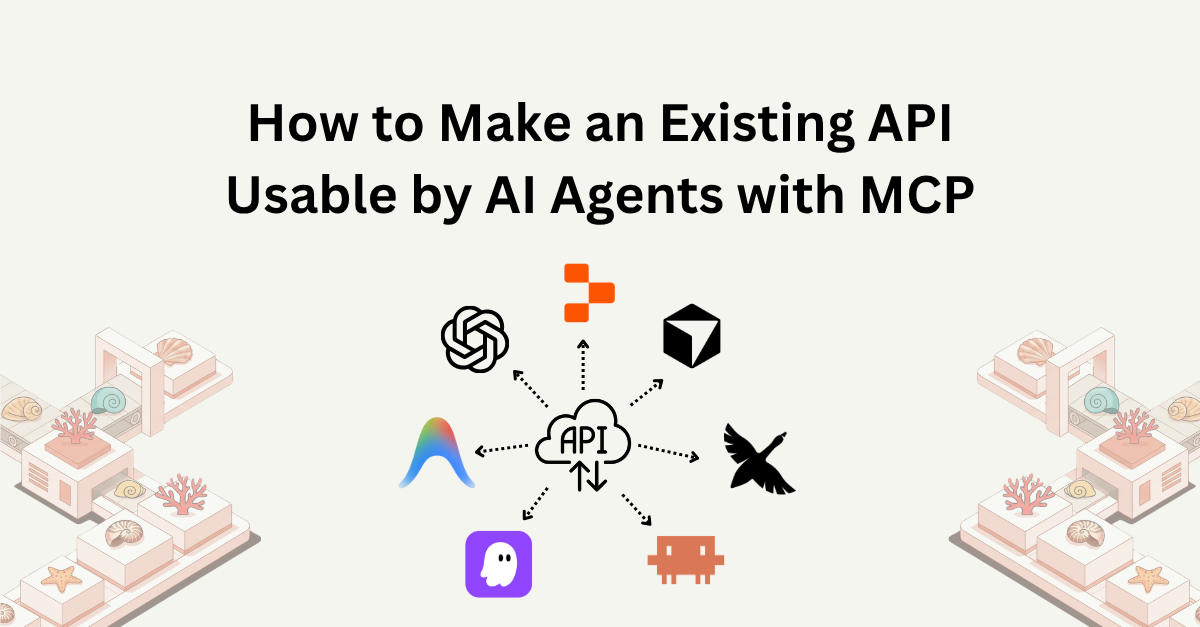
API to MCP for AI agents means adding an MCP interface around selected API capabilities. The interface gives compatible AI clients discoverable tools, resources, or prompts with clear descriptions, structured inputs, predictable results, and a controlled access path. Keep the API as the source of truth for business logic and authorization, then make the AI-facing layer testable, hosted, observable, and versioned.
API to MCP for AI agents: the practical path
The practical way to make an existing API usable by AI agents is not to expose every route. It is to turn the product workflows your users care about into a small, well-described capability surface.
Existing API and business rules
            |
            v
Documented operations and security schemes
            |
            v
Selected MCP tools, resources, and prompts
            |
            v
Hosted or self-managed MCP server
            |
            v
MCP-compatible AI client and user workflow
API access provides | AI readiness adds |
|---|---|
Routes, methods, parameters, and responses | Discoverable capabilities with clear names and descriptions |
A contract for software developers | Input schemas an AI client can use to construct calls |
Authentication and authorization checks | Runtime credential handling and explicit access boundaries |
Backend operations | A focused set of tools, resources, or prompts for a user workflow |
Documentation and examples | Tests for discovery, invalid inputs, permissions, errors, and side effects |
A running service | Hosting, monitoring, versioning, and a safe update process |
This is why a SaaS company can have a “working API” and still need an API-to-MCP project. The API already does the product work; MCP makes selected work discoverable and usable through a protocol designed for AI applications.
Why API access alone is not AI readiness
An API is usually designed for a developer or program that already knows what to call. The caller has read the documentation, selected a route, constructed the request, handled authentication, and learned how to interpret the response.
An AI client has a different job. It must decide which capability fits a user request, produce valid structured arguments, call the operation with the right identity, interpret the result, and recover when the request fails. That requires more than a reachable URL.
AI-ready APIs need discoverable capabilities
The client should be able to answer:
What can this server do?
Which capability matches this user request?
What inputs are required?
Which values are valid?
Does the action read or change data?
What will the result contain?
What happens when the user does not have access?
If those answers are hidden in a long document, an ambiguous route name, or an unstructured request body, the API may be technically accessible but operationally difficult for an AI agent to use.
AI readiness is a product-interface decision
The right MCP surface depends on the job a user wants to complete. A SaaS team might expose “find an overdue invoice,” “check a project status,” or “create a support ticket” before exposing broad administration, bulk updates, or deletion.
Start with the smallest capability set that proves a useful workflow. More endpoints can increase ambiguity, authorization scope, testing work, and maintenance cost without making an agent more capable.
How MCP connects APIs with AI clients
MCP, or the Model Context Protocol, is an open protocol for connecting AI applications to external systems. An MCP server can expose tools for actions, resources for data, and prompts for reusable workflows. The MCP fundamentals documentation introduces the core concepts, and the official MCP introduction provides the protocol’s broader context.
In an API-backed setup, the MCP server is an interface layer between the AI client and the existing application:
The AI client connects to an MCP server.
The client discovers the tools, resources, and prompts that the server exposes.
The model selects a capability for the user’s request.
The client sends structured arguments through MCP.
The MCP server validates and maps the request to a known API operation.
The original API authenticates and authorizes the request, applies business rules, and returns the result.
The MCP server returns a client-usable result or an actionable error.
MCP does not replace the API, database, or application authorization. It gives AI clients a consistent way to discover and use selected product capabilities while the existing backend remains responsible for the actual work.
Step 1: Prepare the API documentation
An accurate machine-readable contract is the foundation for an API-to-MCP workflow. It gives the MCP layer the information needed to identify operations and build usable schemas.
For a SaaS API, review these parts before connecting it to an AI client:
API documentation detail | Why AI-facing integrations need it |
|---|---|
Stable operation IDs or names | Helps create recognizable, maintainable capability names |
Summaries and descriptions | Explains what an operation does and when to use it |
Path, query, header, and body parameters | Defines the inputs a client must provide |
Required fields, types, enums, and formats | Allows validation before an unsafe or invalid request |
Response schemas and examples | Helps the client interpret returned data |
Security schemes and scopes | Supports runtime authentication and access review |
Status codes and error responses | Makes failure behavior distinguishable and testable |
Pagination, filtering, and rate limits | Keeps list and search workflows bounded |
Side-effect descriptions | Makes writes, notifications, billing actions, and deletes visible |
0mcp currently supports Swagger 2.0, OpenAPI 3.0, OpenAPI 3.1, and Postman definitions. The imported contract should match the API that is actually running. A specification can be syntactically valid and still produce a poor MCP surface if descriptions are vague, schemas are incomplete, or permissions are not documented.
The OpenAPI-to-MCP documentation explains the import and mapping workflow. Validate warnings and errors before selecting operations, and update the original API definition when the underlying schema changes; editing a display name in a dashboard does not replace changing the source contract.
Step 2: Choose the capabilities to expose
Do not start with a route inventory. Start with a user workflow.
Define the workflow
Write down:
who is asking the AI client to act;
what the user wants to accomplish;
which data the workflow needs;
which identity and tenant should be used;
whether the workflow reads, creates, updates, or deletes data; and
what a successful result looks like.
Then select the smallest group of operations that can complete that task.
Map operations to useful capabilities
An API operation may become a tool, a resource, or part of a broader workflow. The method and route are starting points, not the final product interface.
Existing API capability | Possible MCP capability | Review question |
|---|---|---|
|
| Should the client fetch one project by ID? |
|
| Are the filters and pagination bounded? |
|
| Which fields and permissions are required? |
|
| Is the side effect visible and intentionally exposed? |
| Often keep private | Is this an internal or customer-facing workflow? |
Use stable names and descriptions. A tool named update_project with a schema that clearly identifies project_id and allowed fields is easier for an AI client to use than a generic api_request tool with a free-form payload.
The tools documentation is useful when reviewing tool names, descriptions, inputs, and results. For write and destructive actions, apply a stricter review than for bounded, read-only lookups.
Apply least privilege
Selecting a tool is an allowlist decision, not the complete security boundary. The original API must still enforce:
user and organization identity;
tenant isolation;
role and scope permissions;
record ownership and access;
field-level restrictions where needed; and
action-level approval for sensitive changes.
Do not expose a broad administrator credential simply because the tool list is small. The credential and API policy must be narrow enough for the workflow.
Step 3: Configure authentication and access control
An API-backed MCP server normally preserves the API’s existing authentication model. Common choices include API keys, Bearer tokens, and OAuth.
API keys can work for service-level access when the key is scoped to the required product functions.
Bearer tokens carry authorization for the caller and should be handled as sensitive, expiring credentials.
OAuth supports delegated access, scopes, expiration, and user or organization identity when the API needs them.
Keep credentials out of tool names, descriptions, input schemas, prompts, examples, and normal model-visible arguments. The MCP client should supply the credential through the approved runtime path, and the MCP layer should pass only what the original API needs.
Authentication and authorization are separate questions. A client may be allowed to connect to an MCP endpoint and still lack permission to access a particular customer record. The authentication guidance and authorization guidance are useful when documenting both boundaries.
For 0mcp’s hosted workflow, users provide API keys, Bearer tokens, or OAuth credentials through the MCP client. 0mcp passes them to the original API at request time and does not store those customer credentials. The API continues to enforce the product’s business and access rules.
Step 4: Test the AI-facing interface before production
Testing whether the API returns a 200 response is not enough. Test the MCP layer and the user workflow together.
Test category | What to check |
|---|---|
Discovery | The intended tools, resources, and prompts appear and unrelated capabilities do not |
Clarity | Names, descriptions, required fields, enums, defaults, and side effects are understandable |
Valid calls | Minimum valid inputs, optional filters, pagination, empty results, and normal responses |
Invalid calls | Missing fields, wrong types, invalid enums, malformed IDs, and unsupported operations |
Authentication | Valid, missing, expired, revoked, and incorrectly scoped credentials |
Authorization | Cross-tenant, role, record, field, and high-impact action boundaries |
API behavior | Rate limits, timeouts, 4xx responses, 5xx responses, and changed response shapes |
Client workflow | A representative MCP-compatible client can discover, call, and interpret the capability |
Data safety | Secrets, sensitive headers, and private response fields do not leak into outputs or logs |
Use the MCP Inspector guide for protocol and discovery checks. The Playground documentation explains the hosted testing path for inspecting capabilities, calling tools, verifying authentication, testing resources and prompts, and reviewing individual usage logs.
Keep test fixtures for the original API behavior when backward compatibility matters. Add tests for the new MCP capability surface instead of replacing every old test with the latest schema.
Step 5: Host, monitor, and version the integration
An AI-ready integration needs an operating plan after the first successful call.
Hosting
For a local workflow, the MCP client may launch a local process. For a SaaS product that must be reachable by multiple users or remote AI clients, the MCP server needs an authenticated remote endpoint, transport, TLS, timeout, and network plan.
0mcp currently hosts MCP servers over Streamable HTTP and does not support local stdio servers. If a local process is a hard requirement, the team needs custom or self-managed infrastructure. If a hosted remote endpoint fits the workflow, a managed platform can reduce the amount of MCP hosting work the SaaS team owns.
Monitoring
Monitor more than endpoint availability. Track:
request totals and error rates;
authentication and authorization failures;
latency and timeout frequency;
most-used tools, resources, and prompts;
client sources;
outbound response size; and
upstream API errors and rate-limit behavior.
Use the MCP observability guide and monitoring and logging guidance to define an operational baseline. Logs help diagnose a specific call; analytics help identify a trend.
Versioning
The API contract, MCP capability configuration, and client workflow can change independently. When the API changes a required field, operation, response, permission, or side effect, review the affected MCP capability before publishing an update.
Keep the API specification and tests in source control. Record the MCP configuration version associated with each source revision, prefer additive changes where possible, and keep a rollback target. The versioning guide covers the configuration lifecycle in the hosted workflow.
How 0mcp converts an existing API into a hosted MCP server
For SaaS teams with existing API capabilities, 0mcp provides the managed MCP layer around the source contract. The workflow is:
Import a supported Swagger, OpenAPI, or Postman definition.
Validate the definition and review warnings or errors.
Inspect the detected API operations.
Select the functions that should be available to AI clients.
Configure or refine tools, resources, and prompts.
Test the server and authentication in the Playground.
Use the hosted Streamable HTTP endpoint from an MCP-compatible client.
Review versions, usage logs, analytics, and later capability changes.
This approach does not rewrite the SaaS backend. The API remains responsible for business logic, data validation, authorization, pagination, and rate limits. 0mcp manages the MCP interface and hosted infrastructure around the selected capabilities.
The API-to-MCP page explains the commercial workflow, while the AI product teams solution page is relevant when the goal is to make product capabilities available to AI clients without turning MCP infrastructure into a separate internal platform project.
An AI-readiness scorecard for existing APIs
Use this scorecard before publishing an MCP server:
Question | Ready signal | If the answer is no |
|---|---|---|
Can the API’s operations be described precisely? | Valid OpenAPI, Swagger, or Postman contract | Improve the source documentation before importing |
Can an AI client identify the right capability? | Focused names, descriptions, and bounded tools | Reduce overlap and rewrite the capability descriptions |
Can the client produce valid inputs? | Required fields, types, enums, formats, and examples are clear | Complete schemas and test invalid inputs |
Can the API enforce access? | Tenant, role, record, and action rules run upstream | Fix authorization before exposing the operation |
Can the integration handle failure? | Auth, validation, rate-limit, timeout, and upstream errors are distinguishable | Define error categories and recovery behavior |
Can the team test the real workflow? | Playground, Inspector, API tests, and representative client checks pass | Add a repeatable pre-production test path |
Can the team operate the endpoint? | Hosting, logs, analytics, latency, and ownership are defined | Assign operational owners and monitoring signals |
Can the team update it safely? | Source and MCP configuration versions have a rollback path | Add change review, compatibility tests, and restore steps |
This scorecard keeps “AI-ready” concrete. It is not a claim that an API must be redesigned from scratch. It is a way to identify which interface and operational details an AI client needs in addition to ordinary API access.
Common mistakes when making an API usable by AI agents
Exposing every endpoint
A complete route list can create too many similar tools, broad permissions, and more opportunities for incorrect selection. Start with one workflow and expand deliberately.
Treating API documentation as a tool interface
Documentation helps people understand an API, but an AI client needs discoverable capabilities with structured schemas, clear side effects, and usable results. A link to API documentation is not the same as an MCP server.
Creating one generic API tool
Tools such as call_api or execute_request hide the method, route, parameters, and permission meaning. Prefer named capabilities that map to product actions and validate known operations on the server.
Putting credentials in model-visible inputs
The model should not see or choose raw API keys, Bearer tokens, OAuth secrets, or arbitrary authorization headers. Keep runtime credentials in the client and request path.
Testing only successful calls
Missing parameters, expired credentials, forbidden actions, missing records, rate limits, timeouts, and changed response shapes are normal operating conditions. Test them before production clients rely on the interface.
Treating the first deployment as the finish line
AI-facing capabilities need monitoring, versioning, maintenance, and a clear owner. When the source API changes, review the affected MCP tools, resources, prompts, schemas, permissions, and errors together.
A practical rollout workflow for SaaS teams
Use this sequence to turn an existing API into a usable AI interface:
Choose one user workflow. Define the task, identity, data, capabilities, and success condition.
Audit the API contract. Check descriptions, schemas, security, responses, errors, pagination, and rate limits.
Select a small capability set. Prefer clear reads and focused actions; separate high-impact writes.
Design the MCP surface. Name tools, describe inputs and results, and decide whether resources or prompts add value.
Connect authentication safely. Use runtime credentials and keep authorization enforcement in the original API.
Test with real failure paths. Use Inspector, Playground, API tests, and a representative MCP client.
Choose hosting and ownership. Document transport, endpoint, logs, latency, support, and security responsibilities.
Publish and measure. Review usage, errors, latency, client sources, and data size after launch.
Version every meaningful change. Link API revisions to MCP configuration versions and maintain a rollback path.
The goal is not simply to make an API callable by a model. The goal is to make a product capability understandable, permission-aware, testable, and maintainable through an AI client.
Conclusion
Making an existing API usable by AI agents is an interface and operations project, not only an authentication or endpoint project. Keep the API as the source of truth, prepare an accurate contract, expose a focused capability surface, make inputs and results clear, preserve access controls, test failure paths, and operate the MCP endpoint with monitoring and versioning.
If your SaaS already has useful API capabilities, start with the API-to-MCP page, review the MCP fundamentals documentation, and use the AI product teams solution to evaluate the adoption path that fits your team.
FAQ
01Is API access alone enough for AI agents?+-
No. API access gives software a route and contract to call, but an AI client also needs discoverable capabilities, clear descriptions, structured input schemas, safe authentication, predictable results, bounded permissions, and tested failure behavior. MCP provides the AI-facing protocol layer around selected API capabilities.
02How does MCP make an existing API usable by AI agents?+-
An MCP server exposes selected API-backed capabilities as discoverable tools, resources, or prompts. The AI client learns what is available, selects a capability for the user’s request, sends structured arguments, and receives a result through MCP. The original API still performs the business operation and enforces authorization.
03Do SaaS teams need to rewrite their existing API for MCP?+-
Usually not. A supported API definition can provide the starting point for an MCP interface, and the existing backend can remain the source of business logic and data. Teams may need to improve documentation, add missing schemas, choose better capability boundaries, or introduce custom logic when a direct mapping does not express the workflow.
04What should a SaaS team prepare before connecting its API to MCP?+-
Prepare an accurate Swagger, OpenAPI, or Postman definition; stable operation names and descriptions; complete request and response schemas; security schemes; error behavior; pagination and rate-limit rules; test credentials; and a clear first AI workflow. Then select only the operations that the team can authorize, test, monitor, and maintain.
05How does 0mcp help make an existing API usable by AI agents?+-
0mcp imports supported API definitions, detects operations, lets teams select and configure tools, resources, or prompts, and hosts the resulting MCP server over Streamable HTTP. It also provides Playground testing, runtime API-key, Bearer-token, and OAuth pass-through, configuration versions, logs, and analytics. The original API remains responsible for business logic and authorization.